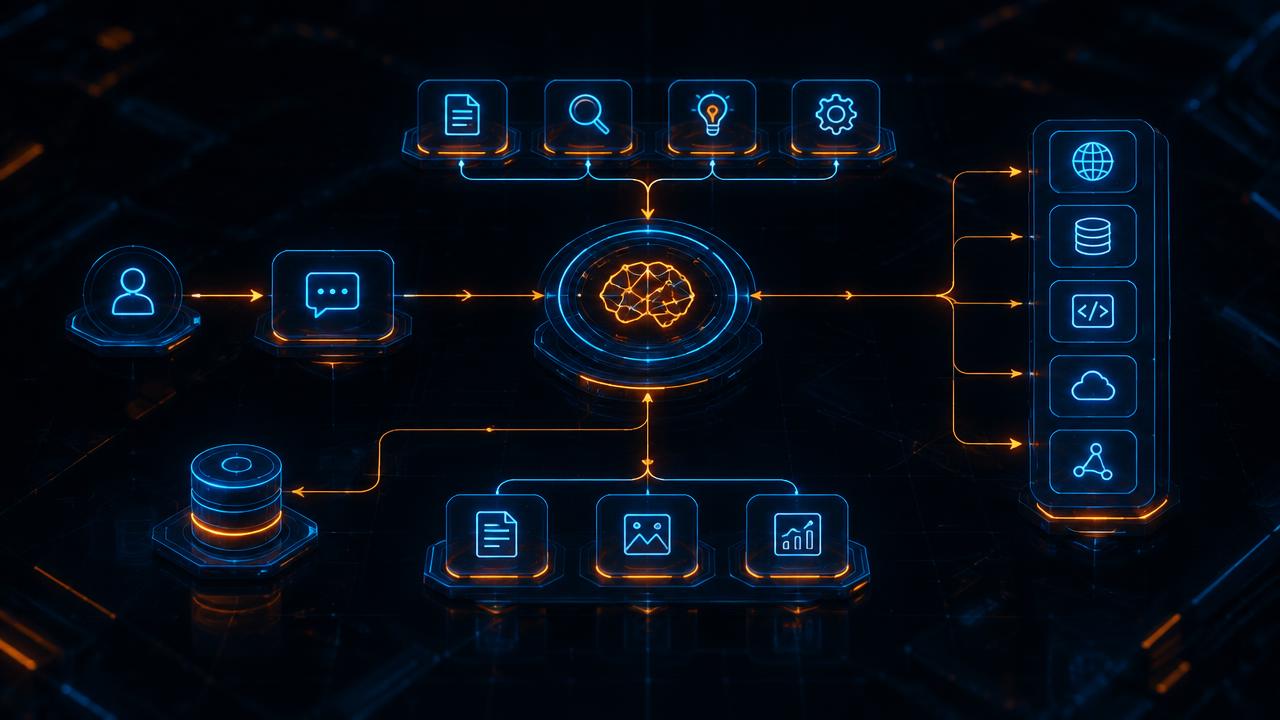
AI agents are rapidly moving from theoretical constructs to practical business tools. They aren't just advanced chatbots. They are autonomous systems designed to perceive their environment, make decisions, and take actions to achieve specific goals. Think of them as digital specialists you can hire to perform tasks, from managing customer support tickets to orchestrating complex software deployments.
But building an effective agent is a serious engineering discipline, not an act of summoning a digital ghost. It requires a systematic approach that blends classic software development practices with the nuances of modern AI. This guide outlines the foundational stages of that process, from defining the agent's purpose to deploying and monitoring it in a live environment.
Before You Write a Line of Code: Defining the Agent's Mission
The most common point of failure for an AI agent project is an ill-defined goal. Starting with a vague objective like "improve efficiency" is a recipe for a complex, unfocused, and ultimately useless tool. Before you consider models or frameworks, you must precisely define the agent's mission.
A strong mission definition starts with a specific, measurable problem.
- Vague: "Automate customer support."
- Specific: "Build an agent to handle Tier 1 support requests for password resets and account lockouts via our web chat, aiming to resolve 80% of these cases without human intervention."
This level of clarity is non-negotiable. To achieve it, you need to break down the agent's operational reality into a few key components:
- Goal: The final, successful state. For our example, it's a successfully reset password or a successfully unlocked account, confirmed by the user.
- Environment: Where the agent lives and works. Is it inside a Slack workspace, a web browser, a set of internal APIs, or a command-line interface? The environment dictates what's possible.
- Perception (Sensors): How does the agent "see" its environment? This could be by reading text from a chat window, parsing the JSON response from an API, or analyzing the content of a webpage.
- Actions (Actuators): What can the agent do? These are the verbs of your agent's existence. Actions should be discrete and well-defined, like
send_message(channel, text),call_api('/users/reset-password', user_id), orclick_button(css_selector). - Guardrails: What must the agent not do? This is arguably the most important part for building trust and safety. An agent handling support tickets shouldn't be able to delete user accounts or process financial transactions. These constraints must be explicitly defined and enforced.
Nailing this definition phase provides the blueprint for everything that follows. It transforms an abstract idea into a concrete engineering problem.
The Agent's Brain: Choosing an Architecture
With a clear mission, you can start designing the agent's internal logic. The choice of architecture depends entirely on the complexity of the environment and the task.
Simple, Rule-Based Agents
Don't discount the power of simple logic. For highly predictable and constrained tasks, a straightforward if-then-else structure can be incredibly effective. Consider an agent that sorts incoming invoices. If an email's subject contains "Invoice" and the attached PDF is from a known vendor, the agent files it in the appropriate folder and notifies the accounts payable team.
- Pros: Highly predictable, easy to debug, fast, and cheap to run.
- Cons: Brittle. It breaks the moment it encounters something outside its predefined rules. It can't handle ambiguity or novel situations.
This approach is best for low-variability, high-volume automation.
LLM-Powered Agents
This is the paradigm that has captured the industry's attention. Here, a Large Language Model (LLM) like OpenAI's GPT-4, Anthropic's Claude 3, or Google's Gemini acts as the agent's reasoning engine. Instead of hand-coding the logic for every possible situation, you provide the LLM with a goal and a set of tools, and it generates a plan to achieve that goal.
The core components of an LLM-powered agent are:
- LLM Core: The model itself. It receives a prompt containing the overall goal, the history of previous steps, the current observation from the environment, and a list of available tools. Its output is a decision: which tool to use next, and with what arguments.
- Tools (Function Calling): These are the agent's actuators. You expose your functions (e.g.,
search_knowledge_base(query)) to the LLM using a structured format, often called function calling or tool use. The LLM doesn't execute the code itself. It simply outputs a request, like{"tool_name": "search_knowledge_base", "arguments": {"query": "how to reset MFA"}}, which your application code then interprets and executes. - Memory: An agent that can't remember what it has already done is useless. Memory exists in two forms.
- Short-Term Memory: This is the conversation history and recent observations included in the LLM's context window for each turn.
- Long-Term Memory: For retaining information across sessions or handling vast amounts of data, you need an external system. Vector databases like Pinecone, Weaviate, or Chroma are commonly used to store and retrieve relevant information (like past conversations or documentation) to be injected into the prompt when needed.
Agent Frameworks: Don't Reinvent the Wheel
Building the orchestration logic that connects the LLM, tools, and memory can be tedious. This is where agent frameworks come in. They provide the scaffolding so you can focus on the unique aspects of your agent.
- LangChain: One of the most mature and feature-rich frameworks. It offers a vast ecosystem of integrations for models, databases, and APIs. Its comprehensiveness can also make it complex for beginners.
- LlamaIndex: While it started with a focus on Retrieval-Augmented Generation (RAG), LlamaIndex has powerful agent capabilities. It excels at building agents that need to reason over complex, external data sources.
- AutoGen (Microsoft): This framework is built around the concept of multi-agent conversations. You can define different agents with specific roles (e.g., a "Planner," a "Coder," and a "Critic") that collaborate to solve a problem. It's particularly useful for complex, multi-step tasks that benefit from different perspectives.
These frameworks handle the repetitive loop of prompt -> LLM decision -> parse output -> execute tool -> observe result -> repeat. Using one can save you weeks of development time.
From Sandbox to Reality: The Development Lifecycle
Building an agent is an iterative process of refinement and testing. You will not get it right on the first try. A structured development workflow is essential for building a reliable system.
Step 1: Tool Development and Unit Testing
Your agent is only as reliable as its tools. Before you even think about prompting an LLM, develop your tool functions as standalone pieces of code. If you have a get_user_profile(user_id) tool, it should be robust, well-documented, and have its own set of unit tests. If this function fails because of a database error or an unexpected API response, the agent will fail. This has nothing to do with AI; it's just fundamental software quality.
Step 2: Prompt Engineering and "Unit Testing" the Brain
Once your tools are solid, you can focus on the agent's reasoning core. Isolate the LLM and your prompt template. Your goal is to test whether the agent can make the correct decision given a specific situation. You can do this by feeding it mocked observations and checking if it attempts to call the right tool with the correct arguments.
For example: "Given the user's message 'My order #123 hasn't arrived,' does the agent correctly identify the need to call the get_order_status(order_id='123') tool?"
Tools like LangSmith or the tracing features in other frameworks are invaluable here. They allow you to inspect the full chain of thought of the LLM, see the exact prompt that was sent, and analyze the function-calling output it generated.
Step 3: Integration and End-to-End Testing
With the tools and brain tested in isolation, it's time to connect everything. Now you run the agent through complete scenarios, from initial user request to final goal achievement.
This requires creating an evaluation dataset. For a set of representative inputs, define the expected final outcome. For more complex agents, you might even define the expected sequence of tool calls.
- "Golden Path" tests: Scenarios where everything goes as planned.
- Edge Case tests: Scenarios involving user confusion, unavailable tools, or unexpected errors.
Automate these end-to-end tests. A small change to a prompt or a tool's description can have unpredictable ripple effects. A comprehensive evaluation suite acts as your regression safety net, ensuring that a fix in one area doesn't break three others.
Releasing Your Agent into the Wild
Deployment isn't the finish line. It's the beginning of a continuous loop of monitoring, learning, and improving.
Deployment Patterns
How you deploy depends on the risk associated with the agent's actions.
- Human-in-the-Loop: This is the safest way to start. The agent analyzes the situation and proposes a plan or a specific action. A human operator must then approve it before execution. This is ideal for high-stakes environments, such as deploying code, modifying customer data, or executing financial transactions.
- Fully Autonomous: Once you have high confidence from rigorous testing, you can allow the agent to operate on its own for certain tasks. This is best reserved for low-risk, easily reversible actions, like tagging an article or answering a straightforward informational query.
Your deployment infrastructure matters, too. For agents that run sporadically, a serverless architecture (using AWS Lambda or Google Cloud Functions) can be very cost-effective. For agents requiring low latency or constant availability, a dedicated container or server might be a better fit.
Monitoring, Logging, and Iteration
Once live, you must assume your agent will encounter situations you never anticipated. Aggressive logging is not optional. You need to capture:
- The initial input or trigger.
- The full "thought process" of the LLM, including every intermediate step.
- Every tool that was called, with the exact arguments used.
- The result returned by each tool.
- The final output or resolution.
From these logs, derive key performance metrics to track on a dashboard:
- Success Rate: What percentage of tasks are completed successfully?
- Tool Errors: Are specific tools failing frequently?
- Cost: How many tokens is the agent consuming per task? Is the cost trending up or down?
- Latency: How long does it take the agent to complete a task from start to finish?
The logs from failures, hallucinations, and unexpected agent behavior are gold. They become the raw material for new test cases in your evaluation suite. This feedback loop, where production failures directly inform development testing, is how you build an agent that grows more robust and reliable over time.
Building an AI agent is less about a single "aha" moment and more about applying disciplined engineering to a new kind of system. The most powerful agents won't necessarily be built on the largest model. They will be the product of the most rigorous process of definition, iterative testing, and diligent monitoring. Start small, define your problem with extreme clarity, and build your confidence and your agent's capabilities from there.